



As the use of Artificial Intelligence (AI), especially generative AI, continues to grow, developers need comprehensive tools to build and manage AI solutions. Azure AI Studio is designed to streamline this process by bringing together key AI capabilities from Microsoft Azure into a single, user-friendly platform. Whether you’re working with machine learning models, generative AI, or AI services, Azure AI Studio offers a centralized workspace for collaboration and innovation.
What is Azure AI Studio?
Azure AI Studio is a web-based platform that integrates several Azure AI services, including:
- Azure Machine Learning: Model catalog and prompt flow capabilities.
- Azure OpenAI Service: Generative AI model deployment and testing.
- Azure AI Services: Vision, speech, language, and content safety.
This centralized approach simplifies the development process, allowing teams to build AI solutions more efficiently by offering a single entry point to all relevant AI services.

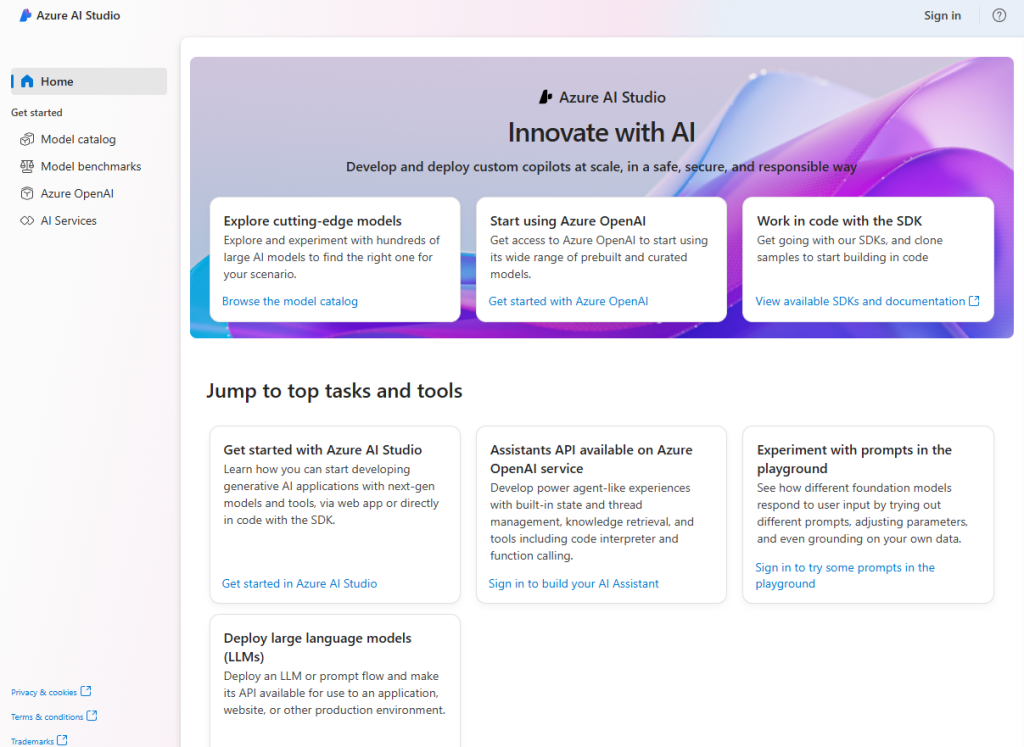
Key Features of Azure AI Studio
Azure AI Studio empowers teams to collaborate effectively on AI projects by offering the following features:
- Deploy models: Quickly deploy models from the catalog to real-time endpoints.
- Test generative AI models: Use Azure OpenAI service to test and deploy generative models.
- Custom data integration: Combine custom data with AI models to enhance outputs using retrieval augmented generation (RAG).
- Prompt flow: Define workflows that integrate models, prompts, and custom processing.
- Content safety: Mitigate harmful content in generative AI solutions using integrated filters.
Azure AI Studio is continually evolving, with new features regularly being added.
How Does Azure AI Studio Work?
Azure AI Studio uses AI hubs as collaborative workspaces. These hubs host AI projects where teams of data scientists and developers can collaborate, share assets, and run experiments. Within each AI hub, users can:
- Create and manage compute resources.
- Connect to external data sources.
- Define policies for resource management and automation.
Projects in Azure AI Studio allow you to:
- Test large language models in real-time.
- Use prompt flow to combine models, prompts, and custom code.
- Manage data and indexes to support AI workflows.
- Deploy AI solutions as web applications or containerized services.
Resources Managed in Azure AI Studio
When you create a project in Azure AI Studio, several Azure resources are automatically provisioned to support your AI solutions:
- Storage accounts: Securely store data related to AI projects.
- Key vaults: Protect sensitive credentials and access keys.
- Container registries: Store Docker images for your AI services.
- Application Insights: Monitor usage and performance metrics.
- Azure OpenAI Service: Access generative AI models for your applications.
These resources enable seamless development and deployment, ensuring scalability and security.
When to Use Azure AI Studio
Azure AI Studio is the go-to platform for:
- Developing generative AI applications: Build custom copilots or content generation models with ease.
- Exploring AI models: Test and integrate AI models from OpenAI, Microsoft, and others.
- Retrieval augmented generation (RAG): Combine retrieval and generation to improve content accuracy and relevance.
- Integrating Azure services: Use Azure AI Studio with other Azure services for more complex AI projects.
- Building responsibly: Azure AI Studio provides tools and guidance to ensure AI solutions are developed ethically.
Conclusion
Azure AI Studio is a powerful, integrated environment designed to make AI development easier and more accessible. Whether you’re working on generative AI, large language models, or custom AI workflows, this platform provides all the tools needed to bring your AI solutions to life, while also ensuring responsible and scalable development.
This blog post is based on information and concepts derived from the Microsoft Learn module titled “Introduction to Azure AI Studio.” The original content can be found here:
https://learn.microsoft.com/en-us/training/modules/introduction-to-azure-ai-studio/
Deixe um comentário Cancelar resposta